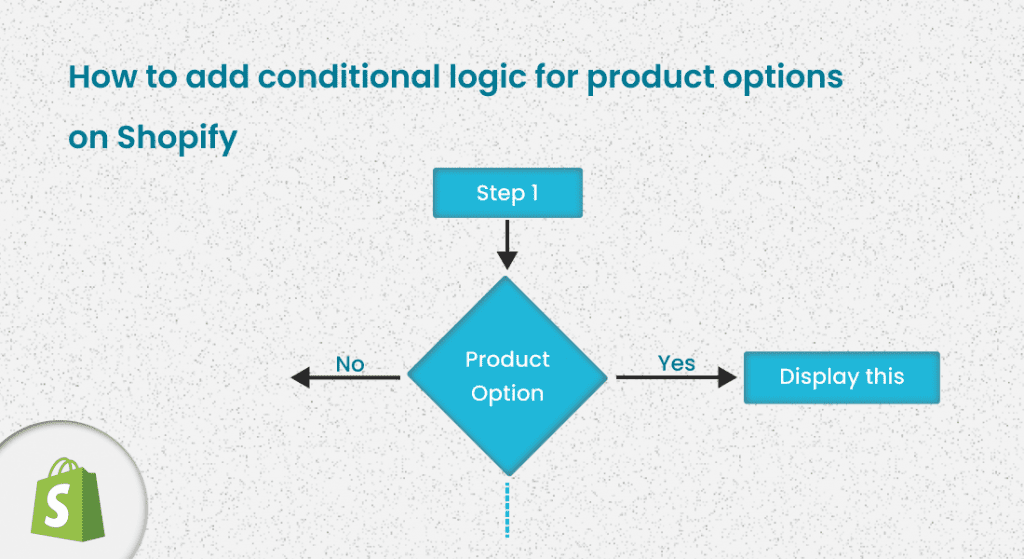
What is Conditional Logic
While letting your customers personalize their products by putting some values in different fields, based on the customers' selection, sometimes you might require to display or hide some fields. In simple words, you might require to add conditional logic for product options.
When your customers enter some information for different fields, conditional logic helps you to display different product options based on the information provided by the customer.
In this article, you will learn why you need to add conditional logic, what are the benefits, and how to add conditional logic for product options on your Shopify store.
Why Set Up Conditional Logic For Product Options
Merchants who sell customized products might require to apply conditional logic for product options. Offer product options by adding conditional logic based on your customers’ previous selections. This will save customers valuable time to find desired products.
Let us step through a few scenarios where the addition of conditional logic is essential -
- If you sell custom t-shirts online, display the “upload file” field once the customer wants to personalize his own t-shirt.
- Display a text field if the customer selects the “add custom text” option to add some custom text to the products.
Add conditional logic to help your customers place their orders easily and quickly. Besides, adding conditional logic will give your customers an improved shopping experience which will encourage them to be your loyal customers and grow your business ROI.
Benefits Of Using Conditional Logic For Product Options
By now, you know what is conditional logic for product options and why you need to add this. Now, explore how this can upgrade your marketing strategy and bring more loyal customers -
Grow Your Conversion Rate (CR)
Applying conditional logic to product options helps grow your conversion rate. How?
Let us discuss a real-life example. Suppose you sell multiple variations of a sofa ( sofa made of Leather, Linen, Velvet, cotton) through your Shopify store.
Now, if the customer chooses the leather option, you want to provide 2 different color options -
If linen is chosen, you want to provide 3 different color options -
- Royal Blue
- Burgundy
- Lime Yellow
And the filtration process goes on until the customer gets the desired product. This conditional logic for different variations of the sofas helps customers find their perfect product. Thus, it enhances the customers’ positive experiences, saving them time finding the exact product, and more customers become loyal customers.
Additionally, you can gather all the information in a more effective way. So, other than displaying all the product options at a time, apply conditional logic for product options, give customers an excellent shopping experience, and grow conversion rate (CR).
Ensure Improved User Experience
According to hubspot.com, 66% of customers expect companies to realize what items they actually look for. So, other than establishing a generalized approach, ensure that customers can easily find their desired product with suitable filtering options and place the order quickly. If this is ensured, you are going to get some happy customers.
Apply conditional logic to product options to give your customers an experience tailored to their needs. Incorporating conditional logic will differentiate your business from those that use a generalized approach and get more loyal customers through your sales funnel.
Apply Business Rules Easily & Grow Faster
Apply conditional logic for product options on Shopify to ensure a dynamic flow of displaying different product variations. Implement your business rules in a more flexible way. Maintain “if this, then that” logic and make it an outstanding shopping experience for customers.
Applying conditional logic for product options helps apply your business rules easily. Suppose you sell phone cases from your online store. Once your customer chooses a phone brand, other than displaying all the phone models you want to display the phone models of that particular phone brand (chosen by the customer). For instance - if the customer chooses “Apple”, the next dropdown will display only the Apple devices.
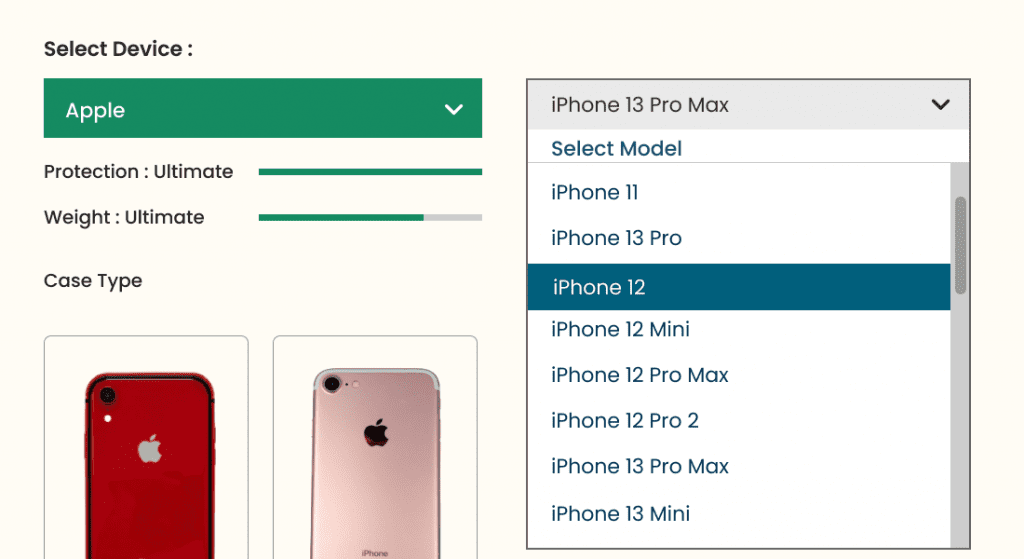 So, add conditional logic to apply your business rules easily and also make it easy for your customers to find their perfect product.
How To Add Conditional Logic On Shopify
With the default functionality of Shopify, merchants can not apply conditional logic for product options. That means store owners can not show or hide product variations on the product page.
To add conditional logic on Shopify, edit the Shopify theme code if you are technically skilled or hire a Shopify developer. But the most convenient option is to use
Shopify advanced product options app. One such application is InkyBay - Shopify Product Personalizer. With this Shopify app, add conditional logic for product options with just a few clicks having zero coding knowledge.
With this Shopify product options app, merchants can set up conditional logic for any personalized products. For instance - custom t-shirts and hoodies, team jerseys, mobile cases, and so on. Besides, merchants can create millions of product variations, track the inventory, and apply conditional logic as required in just a few clicks.
The following example shows how different product options are displayed based on customers' selection using a Shopify
Product Personalizer.
Step 1: Customer selects one from the available category
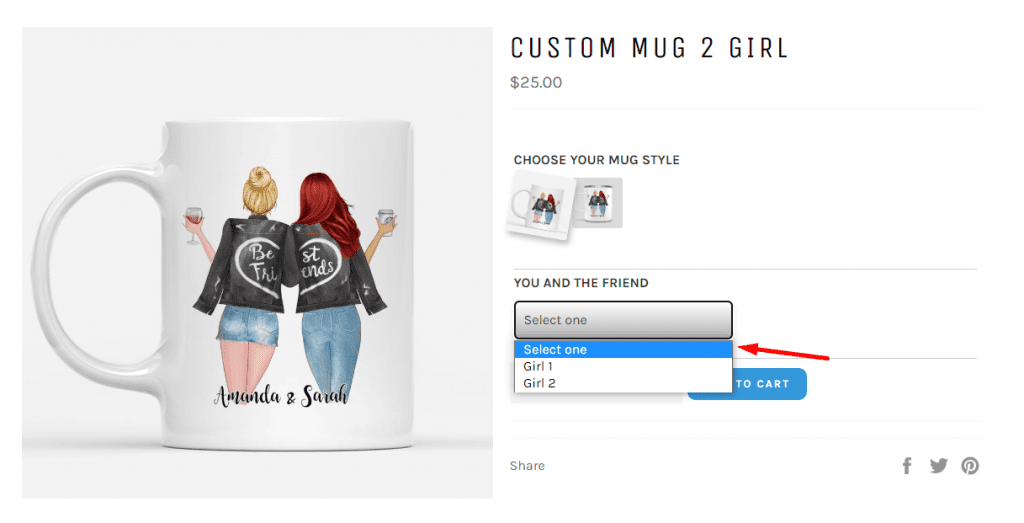
Step 2: Based on the previous selection, product options are displayed.
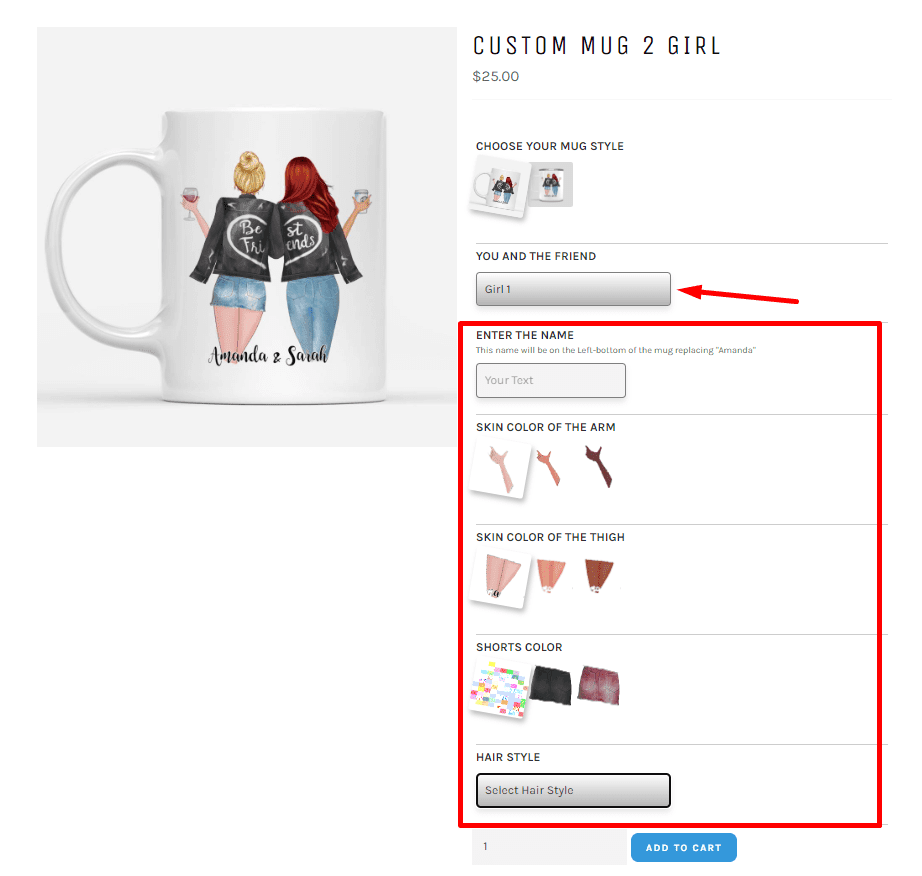
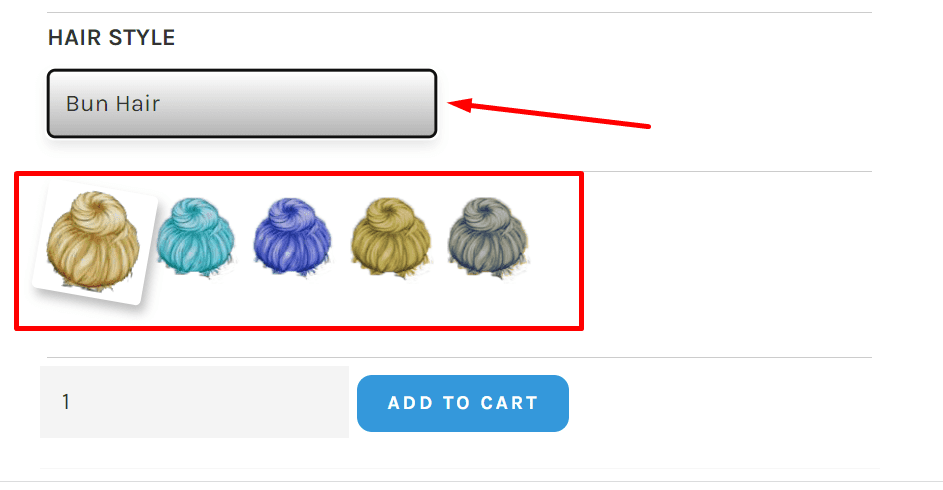
Step 3: From the displayed options customers again chooses his/her preferences to change the hairstyle
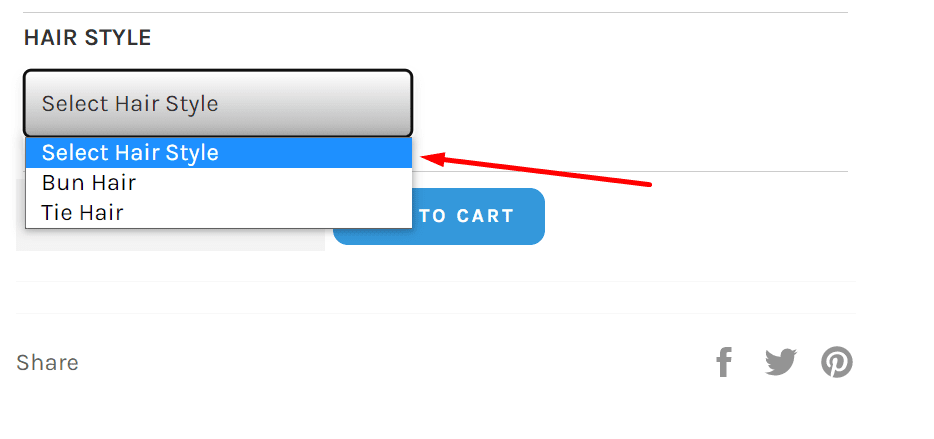
Step 4: Based on the previous selection, available hair color options are displayed
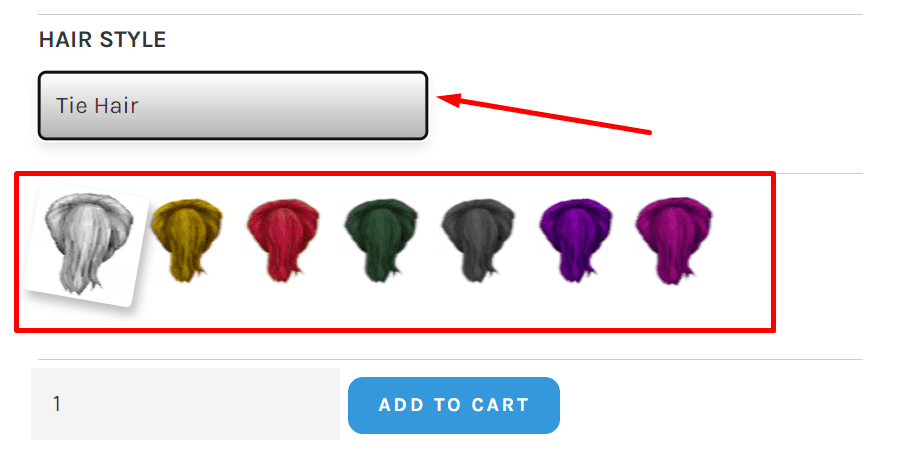
If the customer selects the other hairstyle (Tie Hair), the following color options will be displayed.
 Setting up this Shopify tool is easy. Just follow the below steps -
- Get this Shopify Product Options App from the Shopify app store. Click the “add app” button and install it.
- Based on your business needs, choose a plan or start a 21-day free trial.
You can also contact the 24/7 support team if you face any problems or you require any adjustments for your online store.
Final Words
Make your product page concise and easy to navigate by adding conditional logic for product options. Ensure an excellent shopping experience for your customers.
Apply conditional logic to product options following your business rules so that your customers find their perfect product easily and you get your loyal customers frequently.