
Key takeaways
- The best product customization apps for your new store depend on your needs and product offerings.
- InkyBay is built for mixed catalogs that need a full Design Lab, flexible print-area setup, dynamic pricing, and print-ready production files.
- Easify and Customify offer limited free plans, while InkyBay, SB Custom, Zepto, Teeinblue, and Customily let you test paid features through a free trial.
- InkyBay has the longest trial period in this comparison at 21 days.
- Start by deciding whether you need simple product options, a customer-facing live design studio, or POD automation.
- Compare product limits, transaction fees, and the amount of setup your store can handle before you start.
The best product customization app for a new Shopify store depends on what you sell, how customers need to personalize it, and how much setup your business can manage at launch. This guide compares top apps that cover simple product options, live design tools, print-ready order files, and POD workflows.
Choosing the wrong app can create extra setup work, unexpected fees, or a product page that feels too complicated for customers. That is why this comparison looks at starter pricing, free plans or trials, live-preview features, POD support, and beginner complexity before you install anything.
Use the at-a-glance table to narrow down your options, then review each app’s features, limits, and pricing to find the one that fits your products and budget.
Best Product Customization Apps for New Shopify Stores in 2026
| App | Best For | Live Preview | Customization Type | Starter Pricing | Free Plan / Trial | Beginner Complexity |
|---|---|---|---|---|---|---|
| InkyBay | Mixed catalogs such as apparel, mugs, stickers, signage, and other made-to-order products | Yes |
| $19.99/month | 21-day free trial | Moderate; advanced options need practice |
| SB Custom Product Personalizer | Budget-conscious stores that want a web-to-print design studio | Yes |
| $9.99/month | Free trial available | Moderate; advanced personalization takes more setup |
| Customify | Small stores testing a few customizable products | Yes |
| Free plan; paid plans from $10/month | Free plan: 3 products and 3 paid orders | Low to moderate |
| Zepto Product Personalizer | Build-your-own products with conditional fields and flexible options | Yes |
| $9.99/month | 15-day free trial | Moderate to high |
| Teeinblue Product Personalizer | POD-focused stores selling gifts, apparel, and wall art | Yes |
| $19/month, plus a fee after the free order quota | 14-day free trial | Moderate to high |
| Customily | POD and engraved-product stores that need deep personalization and automation | Yes |
| $49/month per platform, plus $0.10–$1 per personalized item | 9-day free trial; free for development stores | High |
| Easify Custom Product Options | New stores that want a low-cost starting point for product options and live-preview personalization | Yes, on Premium |
| Free plan; paid plans from about $9.99/month | Free plan; 14-day trial reported | Low to moderate |
For new Shopify stores, start with InkyBay’s starter pack. As you grow, you can move on to InkyBay’s high-tier packages. Now, let’s explore more and compare all the best product customization apps we have picked for new Shopify stores:
1. InkyBay - Product Customization App
Best For:
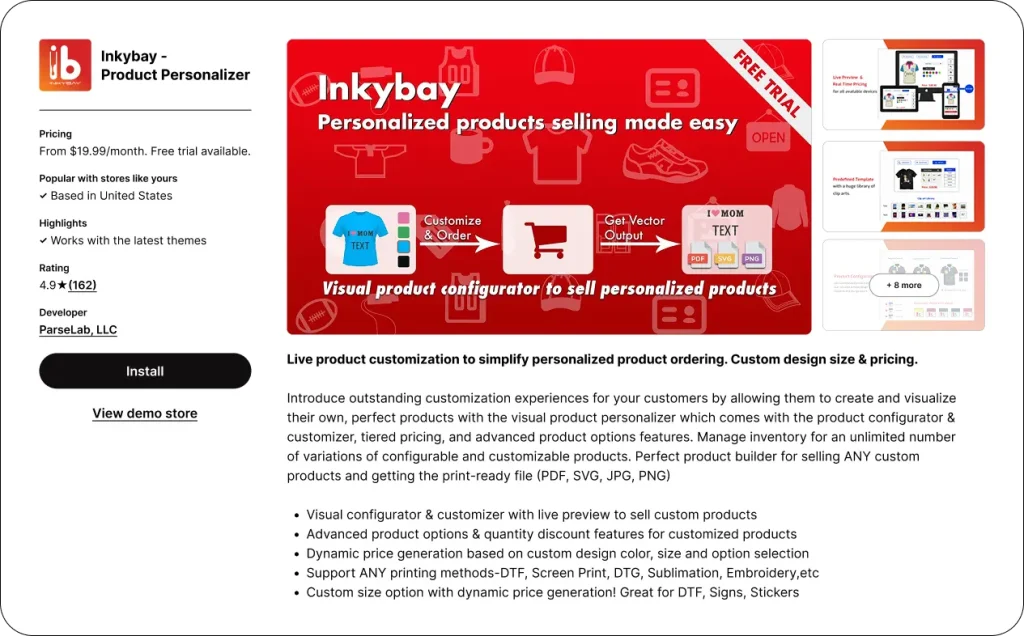
InkyBay product customizer is best for new Shopify stores with mixed customizable products that need a complete Design Lab, detailed pricing control, custom print areas, and print-ready production files.
Overview
InkyBay gives customers a live product design space to add text, images, logos, clipart, and other design elements before placing an order. The app gives merchants control over advanced product options and custom pricing.
You can set prices by design element, size, color, clipart, or print area, so that product pricing reflects exactly what a customer adds. Its custom print-area setup can also be adjusted to match the shape of a product or its printable area.
InkyBay also helps with the production side. It provides print-ready files in JPG, PNG, SVG, and PDF formats, and customers can leave additional notes with special instructions for an order. The template and clipart library also helps customers start designing faster, rather than building every product from scratch.
Pros
-
A custom print-area setup that can be adjusted to fit your product shape and printable area.
-
A live preview that shows customer changes in real time.
-
Dynamic pricing based on added design elements, product size, color, clipart, or print area.
-
Product templates that help customers create designs faster.
-
A dedicated clipart and template library for storing and managing design assets.
-
Advanced product options for detailed personalization setups.
-
Print-ready files in JPG, PNG, SVG, and PDF formats.
-
Customer order notes for special instructions.
Cons
-
The advanced options need some practice before they feel familiar. InkyBay’s support team is available to guide merchants through setup.
Pricing
InkyBay starts at $19.99/month on the Starter plan and offers a 21-day free trial. Its higher plans are Advanced at $49.99/month, Professional at $99.99/month, and Unlimited at $249.99/month
2. SB Custom Product Personalizer
Best For:
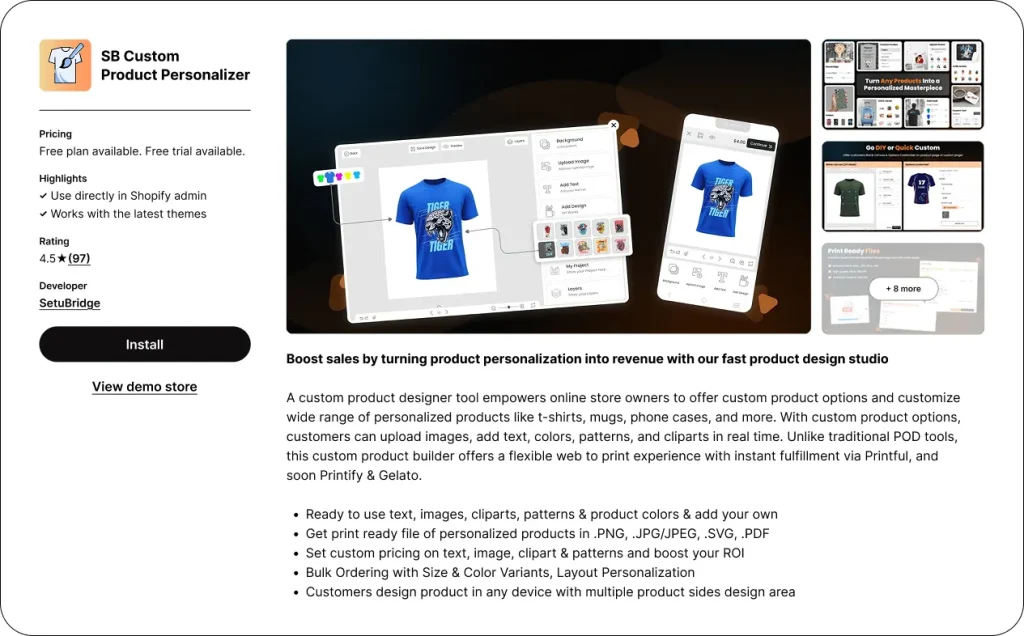
SB Custom Product Personalizer is best for budget-conscious Shopify stores that want a web-to-print design studio with drag-and-drop customization and multi-side product design.
Overview
SB Custom Product Personalizer gives customers a web-to-print studio directly in your Shopify store. They can upload images, add text, choose colors, patterns, and clipart, then create their personalized product on the product page.
Merchants can use their own assets alongside text, images, clipart, patterns, and product colors. The app supports multi-side design areas, layout personalization, and bulk ordering with product variants such as size and color. It also lets merchants set custom prices for personalization elements and save print-ready files in PNG, JPG/JPEG, SVG, or PDF format.
Its no-code setup and drag-and-drop design tools make it approachable for new store owners, while its wider feature set gives growing stores room to offer more detailed personalization.
Pros
-
A web-to-print design studio with drag-and-drop customization.
-
Customers can personalize products with text, image uploads, colors, patterns, and clipart.
-
No-code installation and setup.
-
Supports multi-side design areas and layouts for more detailed product designs.
-
Custom pricing for personalization elements.
-
Bulk ordering with size, color, and other product variants.
-
Print-ready files in PNG, JPG/JPEG, SVG, and PDF formats.
-
Works across devices and supports Shopify stores that need a design-studio experience.
Cons
-
Support is limited on basic and free plans.
-
Some advanced personalization features may take longer to configure.
Pricing
This app has three premium plans: Startup ($9.99/month or $99.99/year), Growth ($12.99/month or $129.99/year), and Premium ($19.99/month or $199.99/year). A free trial is available through the Shopify App Store.
3. Customify ‑ Custom Product App
Best For:
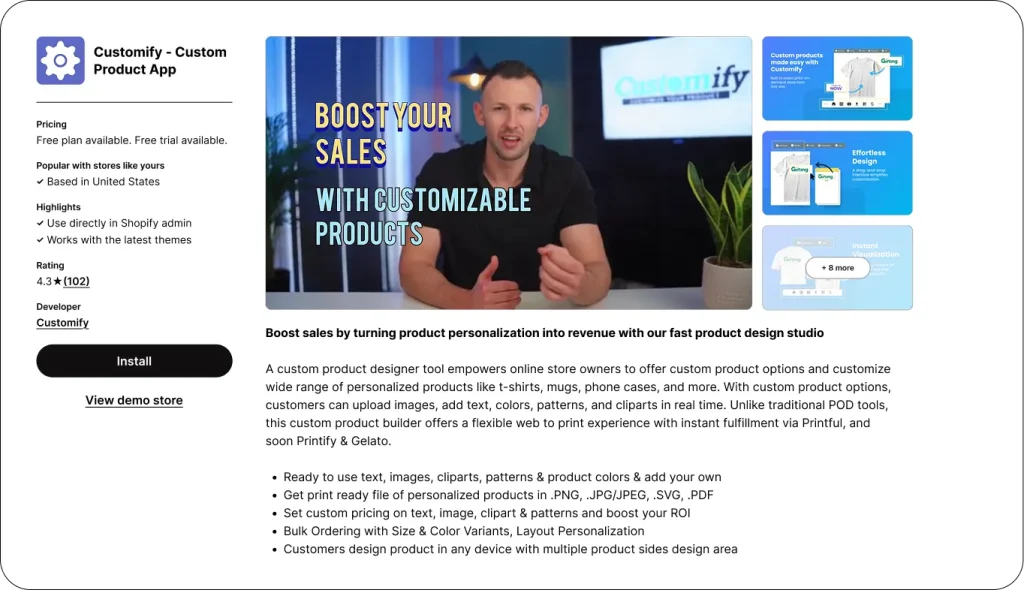
Customify is best for new Shopify stores testing a small number of customizable products with a simple product-page editor.
Overview
Customify adds a visual product customizer to your Shopify product pages, where customers can add text, images, and logos and see the design update in real time. Merchants can add templates, artwork, and product mockups for specific products, giving customers a simpler starting point when creating their designs.
It is a sensible option for a small POD business or a store testing personalized products on a tight budget. The feature set keeps the initial setup straightforward, especially when your catalog has only a few customizable items.
Pros
-
A user-friendly interface with drag-and-drop customization tools.
-
Customers can add text, images, and logos directly on the product page.
-
Real-time preview lets customers check their design before ordering.
-
Pre-designed templates help customers place orders faster.
-
Merchants can add artwork and product mockups to specific products.
-
A free plan lets new stores test the app before moving to a paid plan.
-
The Lite plan supports unlimited paid custom orders for stores that need to keep costs lower.
Cons
-
Its feature set is basic, which may become limiting for a long-term business with more advanced personalization needs.
-
Some non-technical Shopify merchants report a learning curve despite its beginner-friendly positioning.
Pricing
Customify has a limited free plan that includes 3 custom products and 3 paid custom orders. Its paid plans are Lite at $10/month, Basic at $15/month, and Professional at $30/month.
4. Zepto Product Personalizer
Best For:
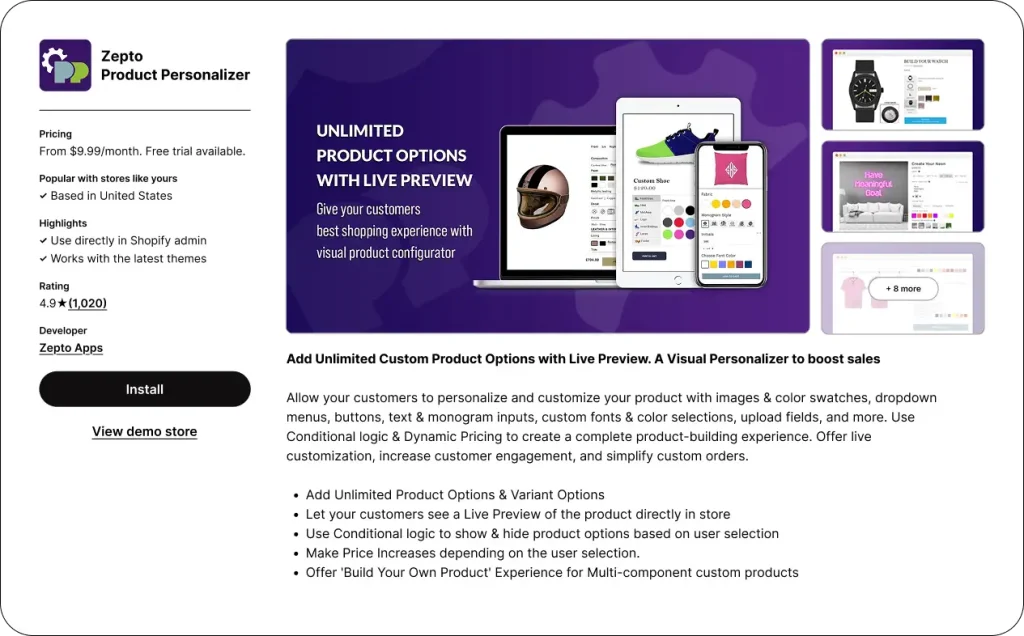
Zepto Product Personalizer is best for new Shopify stores that need conditional product options and a “build your own product” experience.
Overview
Zepto lets customers personalize products directly on the product page by adding text, monograms, colors, fonts, and image uploads. Its real-time preview shows changes as customers make them, so they can check their design before adding the product to the cart.
The app’s conditional logic can show or hide fields based on earlier choices. That makes it useful for configurable products with different options, add-ons, or product-building paths.
Pros
-
Real-time preview shows customers what their personalized design looks like before they order.
-
Customers can add text, monograms, images, colors, fonts, and other product options.
-
Conditional logic can show only the choices that match a customer’s previous selection.
-
Supports custom pricing for product options.
-
Lets merchants create a “build your own product” experience.
Cons
-
Conditional logic can overwhelm customers when it is used with too many fields or choices.
-
Lower pricing tiers have product-count caps, which may limit stores' ability to launch a wider personalized catalog on a smaller budget.
Pricing
Zepto Product Personalizer starts with the Starter plan at $9.99/month. Its higher plans are Basic at $19.99/month, Pro at $29.99/month, and Unlimited at $49.99/month. It offers a 15-day free trial.
5. TeeInBlue Product Personalizer
Best For:
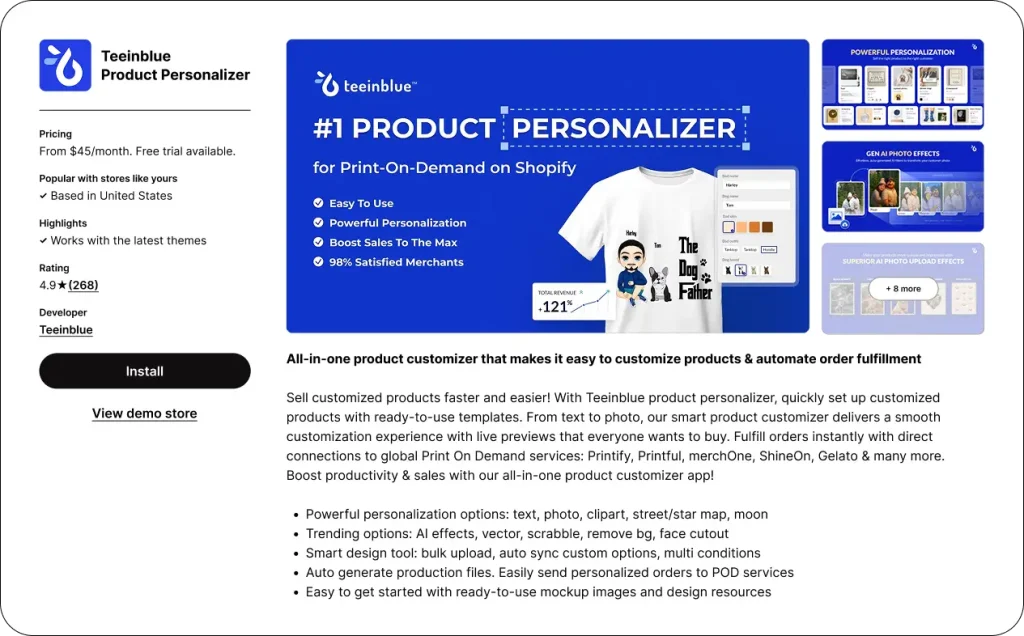
Teeinblue Product Personalizer is best for new POD-focused Shopify stores selling gifts, apparel, or wall art that need live personalization and direct print-provider integrations.
Overview
Teeinblue lets customers personalize products directly on the product page and view their changes before making a purchase. Merchants can upload artworks, mockups, and templates, while customers can customize with text, photos, clipart, maps, backgrounds, and AI effects.
The app generates print-ready files and connects directly with Printify, Printful, Gelato, merchOne, and ShineOn. That setup is a strong fit for stores that want to automate personalized product production with POD partners.
Pros
-
Live preview lets customers see product changes before checkout.
-
Customers can personalize products with text, photos, clipart, maps, backgrounds, and AI effects.
-
Merchants can upload artwork, mockups, and templates to guide customer designs.
-
Generates print-ready files for personalized orders.
-
Direct integrations with Printify, Printful, Gelato, merchOne, and ShineOn support automated POD workflows.
Cons
Live preview lets customers see product changes before checkout.
Customers can personalize products with text, photos, clipart, maps, backgrounds, and AI effects.
Merchants can upload artwork, mockups, and templates to guide customer designs.
Generates print-ready files for personalized orders.
Direct integrations with Printify, Printful, Gelato, merchOne, and ShineOn support automated POD workflows.
-
Its POD-focused features can feel feature-dense for stores that do not use a POD workflow.
-
New Shopify merchants may need time to learn the available tools.
-
A transaction fee applies after the free order quota, which adds to the cost of each personalized order.
Pricing
Teeinblue starts at $19/month on the Starter plan, with a transaction fee applied after the free order quota is reached. Its other plans are Growth at $50/month, Premium at $159/month, and Enterprise at $549/month. It offers a 14-day free trial.
6. Customily
Best For:
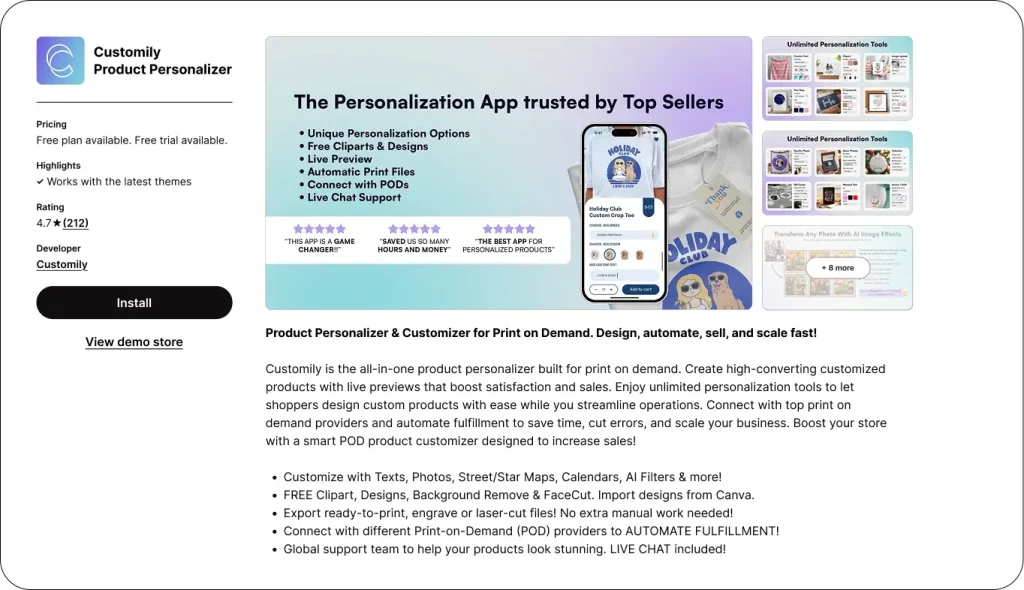
Customily is best for Shopify stores selling POD or engraved products that need deep personalization tools and automated production workflows.
Overview
Customily gives customers a live product customizer that lets them personalize templates directly on the product page and see the results before ordering. Its creative tools support text, image, and vector uploads, maps, calendars, Spotify codes, and AI effects.
The app also connects with major POD providers and generates print-ready files to support fulfillment workflows. Its one-subscription-per-platform policy lets merchants manage unlimited stores on the same platform, making it a good fit for businesses running multiple Shopify stores.
Pros
-
Deep product personalization with text, images, vector files, maps, calendars, Spotify codes, and AI effects.
-
Live preview lets customers see their personalized design before they order.
-
Templates give customers a starting point for their designs.
-
Deep POD integrations and print-ready files support automated fulfillment.
-
A single platform subscription can be used to manage unlimited stores.
Cons
-
Customily has the highest base price among the apps in this comparison.
-
It charges a $0.10 to $1 transaction fee for each personalized item.
-
Its broad toolset comes with a steeper learning curve for beginners.
Pricing
Customily offers a free plan for development stores. Its paid plan costs $49/month per platform and includes a 9-day free trial, plus a $0.10 to $1 transaction fee per personalized item. Pricing was independently verified as current in August 2026.
7. Easify Custom Product Options
Deep product personalization with text, images, vector files, maps, calendars, Spotify codes, and AI effects.
Live preview lets customers see their personalized design before they order.
Templates give customers a starting point for their designs.
Deep POD integrations and print-ready files support automated fulfillment.
A single platform subscription can be used to manage unlimited stores.
Customily has the highest base price among the apps in this comparison.
It charges a $0.10 to $1 transaction fee for each personalized item.
Its broad toolset comes with a steeper learning curve for beginners.
 Best For:
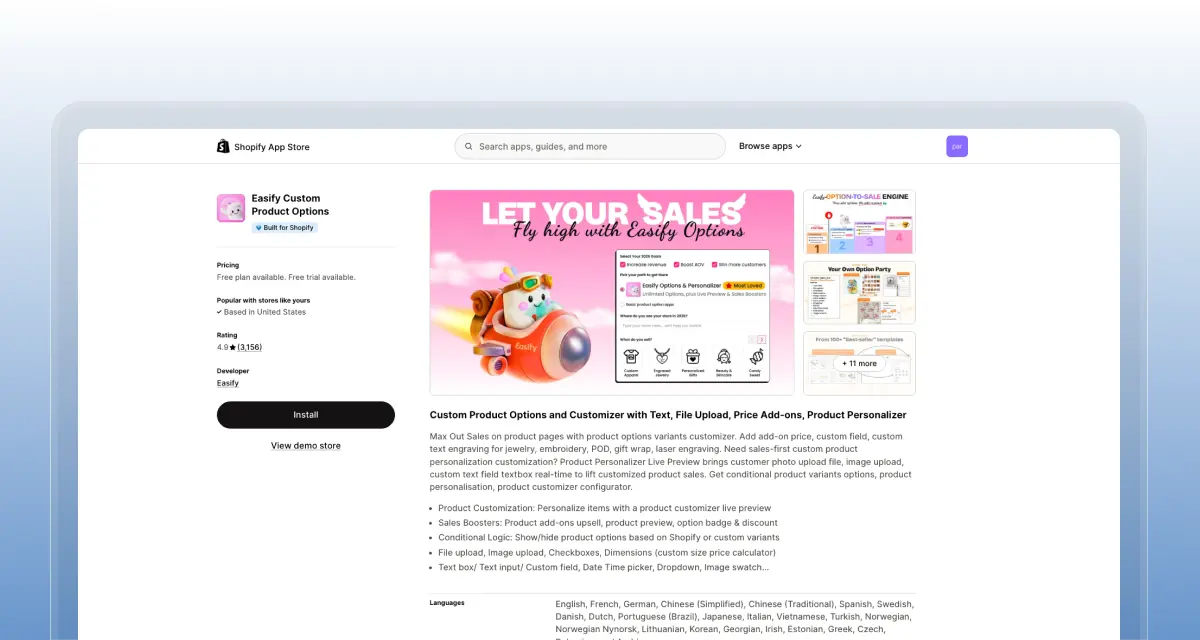
Easify Custom Product Options is best for new Shopify stores on a low budget that want product options and live-preview personalization without starting with a higher-priced app.
Overview
Easify is a budget-friendly option for stores that need customizable product options first and may want to add a live-preview personalizer as they grow. It includes a free plan, a Built for Shopify badge, and is widely used across Shopify stores with thousands of active installations.
The Pro plan focuses on product options, while the Premium plan adds a live-preview personalizer. This makes Easify a practical entry point for merchants who want to start simple and expand into more advanced customization features over time.
Pros
-
Build flexible product options using text fields, dropdowns, checkboxes, swatches, date pickers, and file uploads.
-
Use conditional logic to show or hide options based on customer selections or product variants.
-
Add extra charges for customizations using simple pricing rules.
-
Allow customers to upload images or files for personalized products.
-
Manage option sets more easily with import and export tools.
Cons
-
The live-preview experience is more basic than that of dedicated product personalizers.
-
The Pro plan is limited to product options, so stores that need customer-facing visualization must upgrade to higher tiers.
Pricing
Easify offers a Free plan. Pro at about $9.99/month for product options, Premium at about $19.99/month with live-preview personalization, and Enterprise at about $99.99/month. A 14-day trial was reported; re-check current Easify pricing before publishing.
Build flexible product options using text fields, dropdowns, checkboxes, swatches, date pickers, and file uploads.
Use conditional logic to show or hide options based on customer selections or product variants.
Add extra charges for customizations using simple pricing rules.
Allow customers to upload images or files for personalized products.
Manage option sets more easily with import and export tools.
The live-preview experience is more basic than that of dedicated product personalizers.
The Pro plan is limited to product options, so stores that need customer-facing visualization must upgrade to higher tiers.
5 Tips to Choose the Best Customization App For Your New Shopify Store
Now that we have compared all the best picks, you can choose the one you like. The best app for your store must meet all your store's needs and fit your budget. Here are the 5 best tips to choose the best customization apps for your business:
-
Start with the customization your products need. List exactly what a customer must be able to do before choosing an app. For example, a jewelry store may need text engraving and image uploads, while a POD apparel store may need templates, multi-sided design areas, live preview, and print-ready files. A simple product-options app can cover a gift message or color swatch, but it may not cover a full customer design workflow.
-
Check that the app works with your theme and current tools. Test the app on a duplicate version of your Shopify theme before publishing it on the live store. Check its behavior on the product page, in the cart, in mobile view, for discounts, for product bundles, and in any other apps that affect product variants or checkout. This gives you a clear answer on compatibility before customers begin placing personalized orders.
-
Test the full setup on a phone. Open a customizable product on a real phone and complete a test order from the product page through checkout. Make sure customers can find the options, upload files, use the preview, and read pricing without pinching, zooming, or scrolling through a crowded interface. If the design process feels awkward on mobile, simplify the option flow or choose an app with a cleaner mobile experience.
-
Compare limits and costs beyond the starter plan. Check product caps, order caps, file-upload limits, transaction fees, and the cost of the plan you will need after launch. For example, a low monthly price may cover only a small number of personalized products, while another app may charge a fee for each personalized item. Calculate the cost based on the number of custom orders you expect each month, not just the advertised starting price.
-
Read recent Shopify App Store reviews for feedback on setup, theme compatibility, mobile usability, order files, and issue resolution. Pay attention to lower-rated reviews because they can reveal plan restrictions or product-page conflicts that do not appear in feature lists. Before making a final choice, send support one real setup question and assess whether the response is clear and useful.
Conclusion
The seven Shopify product customization apps in this guide cover different needs: Easify and Customify for lower-cost starting points, Zepto for conditional product options, InkyBay and SB Custom for customer design tools, and Teeinblue or Customily for POD-focused automation.
Your best choice depends on whether customers need a live preview, how your team produces each order, and what the app will cost at your expected order volume. Start with one product, run a complete test order, and choose the app that gives customers a clear customization experience and your team the correct fulfillment details.
Frequently Asked Questions About Best Product Customization Apps
What kinds of customization can these apps offer?
These apps can offer text fields, image uploads, colors, swatches, fonts, gift wrap, custom pricing, and file uploads. Advanced apps also support live product design, templates, maps, and print-ready files.
Will customizing products slow down my store?
No, it wouldn't. It can affect page speed when the product page uses large images, uploads, or a live design tool. Test the app on your own theme and mobile storefront before launch.
Which types of products benefit the most from customization apps?
Apparel, mugs, jewelry, phone cases, wall art, photo gifts, engraved products, and personalized stationery are strong use cases. These products benefit from customers being able to add visible details such as names, images, and custom designs.
Do I need coding skills to add product customization to Shopify?
No. All seven apps in this comparison are no-code tools on the Shopify App Store. You install the app, configure product options or templates, and publish them on your product page.
Are Shopify product customization apps free to use?
Most offer a free plan or trial rather than unlimited free use. Customify and Easify have free tiers, while InkyBay, SB Custom, Zepto, Teeinblue, and Customily offer free trials.
Can I try a customization app before committing to a paid plan?
Yes. Every app in this comparison has a free trial or limited free plan. InkyBay offers the longest dedicated trial at 21 days.
Does product customization increase conversion rate on Shopify?
It can. A live preview helps customers review personalized text, images, colors, and placement before checkout, which can reduce hesitation on made to order products. Research on product configurators identifies visualization as a factor that supports purchase decisions.


